
Extension Chrome pour construire des requêtes PubMed
Transformez une question de recherche en requête PubMed avec des termes MeSH et une logique booléenne, puis lancez-la sur la page PubMed. L’installation depuis le Chrome Web Store est gratuite. La même fiche fonctionne aussi dans Microsoft Edge.
Microsoft Edge peut aussi installer cette extension depuis la même fiche du Chrome Web Store.
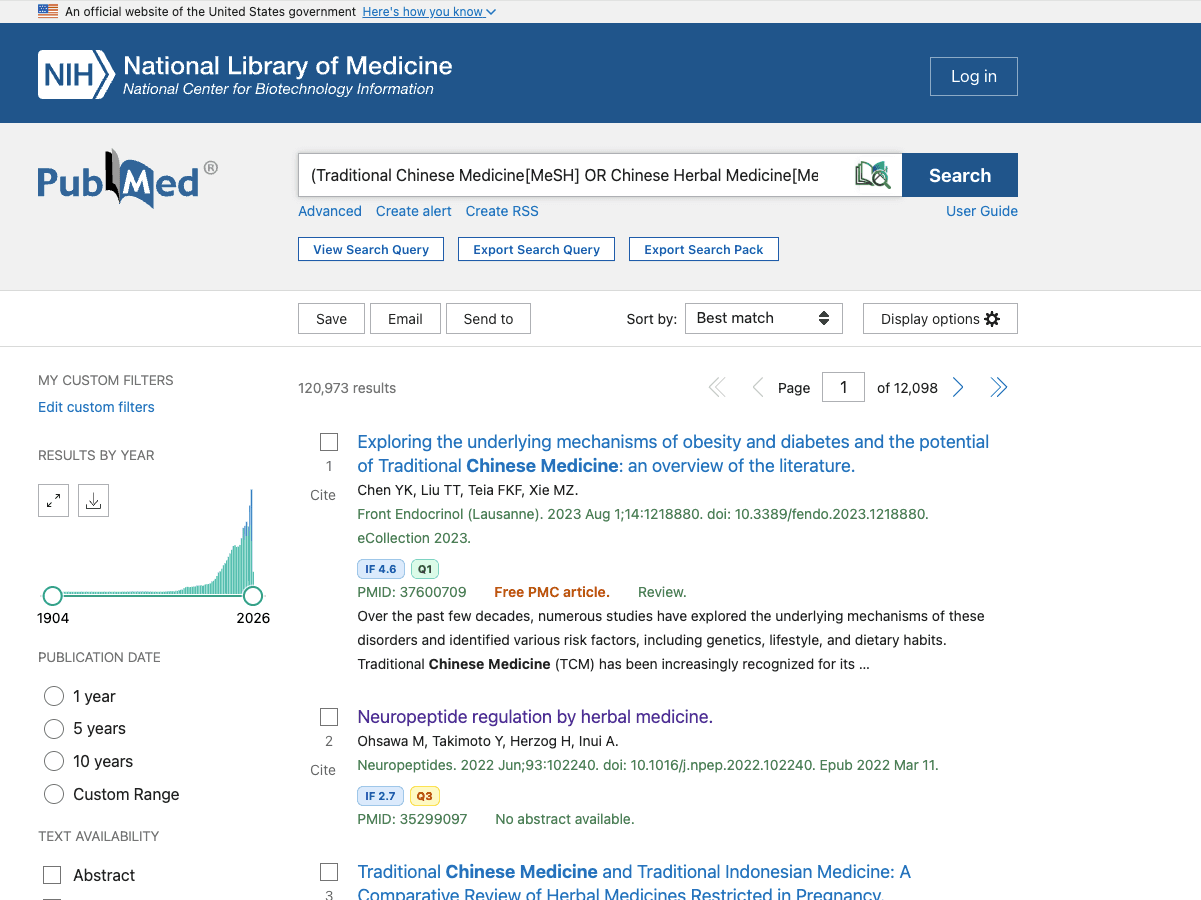
Génération de requêtes PubMed par IA
Transforme une question en requête PubMed avec des termes MeSH et une logique booléenne.
S’exécute dans PubMed
Prévisualisez la requête, puis utilisez Générer et rechercher pour la placer dans PubMed et l’exécuter.
Indicateurs de revue et export
Affiche le facteur d’impact et le quartile lorsque les données existent. La page de résultats en cours s’exporte en CSV, avec résumés et résumés traduits.
D’une question à une requête PubMed
La question est celle déjà proposée par l’extension. La requête ci-dessous montre la forme attendue : descripteurs MeSH, synonymes et opérateurs booléens AND/OR. Une génération réelle peut différer.
Question de recherche
Quelle est l’efficacité des agonistes du récepteur du GLP-1 chez les adultes atteints d’obésité et de diabète de type 2 ?
Exemple de requête PubMed
("Glucagon-Like Peptide-1 Receptor Agonists"[MeSH] OR "GLP-1 receptor agonist*"[Title/Abstract]) AND ("Obesity"[MeSH] OR obesity[Title/Abstract]) AND ("Diabetes Mellitus, Type 2"[MeSH] OR "type 2 diabetes"[Title/Abstract])Requête illustrative selon les règles de l’extension : balises MeSH, synonymes reliés par OR et concepts reliés par AND. Ce n’est pas un résultat en direct garanti.
Questions fréquentes
Pourquoi ne pas installer directement depuis une boutique d'extensions ?
Si. Ajouter à Chrome ouvre le Chrome Web Store, et la même fiche s’installe dans Microsoft Edge. Les étapes ZIP sont réservées aux personnes qui ne peuvent pas ouvrir la boutique.
Puis-je installer le fichier ZIP directement ?
Non. Le mode développeur du navigateur nécessite le dossier après avoir décompressé le package.
Comment fonctionnent les mises à jour ?
Le navigateur met à jour les extensions installées depuis le Chrome Web Store. Si vous avez chargé le ZIP, téléchargez le dernier paquet, décompressez-le et rechargez l’extension.
Comment construire une requête PubMed ?
Ouvrez PubMed et saisissez une question de recherche dans l’extension LitSource. Elle renvoie une requête avec des termes MeSH et les opérateurs booléens AND/OR. Vous pouvez la prévisualiser, la copier ou utiliser Générer et rechercher pour que PubMed l’exécute.
Comment trouver des termes MeSH ?
Après la génération, l’extension liste les termes MeSH détectés. Vérifiez l’arborescence, les définitions et les termes d’entrée dans la base MeSH de la NLM : https://www.ncbi.nlm.nih.gov/mesh. L’extension ne remplace pas cette base.
L’extension Chrome pour PubMed est-elle gratuite ?
L’installation est gratuite, ainsi que l’export de la page de résultats PubMed en cours. Générer une requête consomme 1 crédit LitSource et exige un compte LitSource. Exporter 100, 1000 ou 2000 notices est une fonction Pro.
Impossible d’accéder au Chrome Web Store ?
Chrome et Edge peuvent tous deux s’installer depuis le Chrome Web Store. Téléchargez le ZIP et chargez le dossier décompressé seulement si la boutique ne s’ouvre pas.
Package ZIP · environ 299 Ko · Manifest V3
Chrome
- 1Téléchargez le package ZIP et décompressez-le localement.
- 2Ouvrez Chrome et allez à chrome://extensions.
- 3Activez le mode développeur.
- 4Cliquez sur Charger l'extension non empaquetée et sélectionnez le dossier décompressé.
- 5Confirmez que l'icône LitSource apparaît dans la barre d'outils du navigateur.
Microsoft Edge
- 1Téléchargez le package ZIP et décompressez-le localement.
- 2Ouvrez Edge et allez à edge://extensions.
- 3Activez le mode développeur.
- 4Cliquez sur Charger l'extension non empaquetée et sélectionnez le dossier décompressé.
- 5Ouvrez PubMed et commencez à partir de l'icône de l'extension.
Notes sur les autorisations
- L'extension ne fonctionne que sur PubMed et les pages liées à LitSource.
- Elle stocke localement le jeton de connexion et l'historique des requêtes pour maintenir la session de l'extension utilisable.
- L'autorisation de téléchargement est utilisée pour les exportations de résultats de recherche en CSV/TXT.
Free Download: Literature Review Skill
A systematic literature-review workflow you can hand to Claude / ChatGPT / Codex. This is separate from the browser extension.
Literature Review Skill (Standard)
7-stage evidence-first framework: question → calibrated search → evidence map → evidence cards → argument map → section writing → citation QA (built-in LitSource verification).
Download · Markdownlit-review-skill.md
Literature Review Skill · Q3 2026
Latest quarterly refresh: 7-stage framework + evidence grading (RoB/GRADE) + 5-field citation verification (LitSource) + preprint/retraction safeguards.
Download · Markdownlit-review-skill-q3-2026.md