

点击查看大图
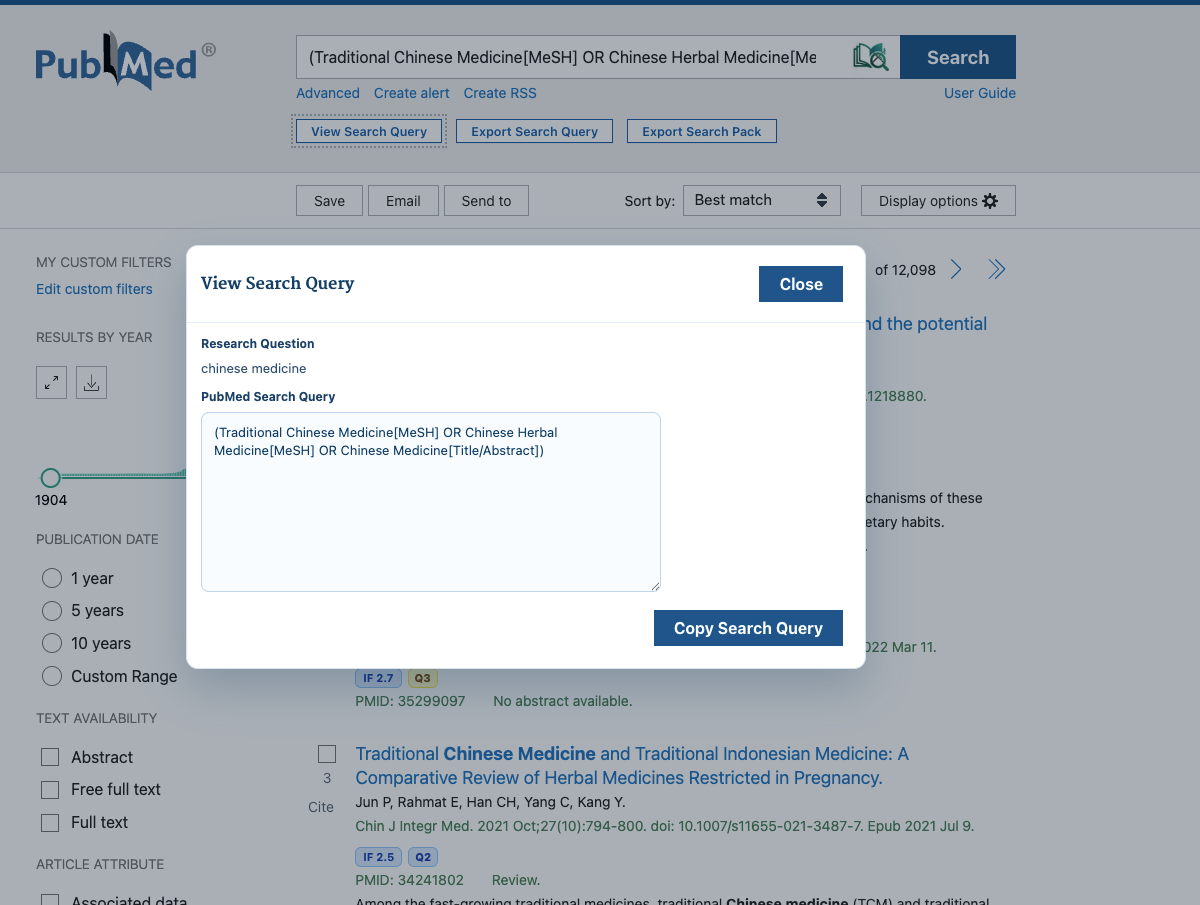
Screenshot 1: Query generation
Show how the extension generates a structured PubMed query from the current topic or keywords.
The LitSource extension turns PubMed into a higher-signal research workspace. Generate cleaner search strategies, inspect journal quality sooner, and send better leads into LitSource for evidence review.
Inside PubMed
Lives where researchers already search
From idea to export
Useful for short scans and full writing sessions
Scout + validate
Best when paired with LitSource verification
Browser companion
From PubMed page to validated evidence
Generate structured PubMed queries
Turn a rough question into a cleaner search expression without manually rebuilding Boolean logic and field tags every time.
Inspect JIF and quartile signals
Judge journal quality while you browse so you can decide faster which papers deserve a deeper read.
Export query paths and papers
Keep the useful query trail and paper shortlist so the next step in writing, review, or collaboration starts cleaner.
If you are not sure whether the extension fits your workflow, a short 1 to 2 minute demo is usually the fastest way to evaluate it.
Recommended video flow: query generation, journal signal, and export.
Watch the full demo on YouTubeReplace this section with real extension screenshots. For browser extensions, UI proof often matters before users decide to install.
Show how the extension generates a structured PubMed query from the current topic or keywords.
Show how users can view impact factor and quartile information while reviewing results.

Show how the current query path or shortlisted papers can be exported for later writing or review.
A lot of research work starts before formal evidence review. You test directions in PubMed, refine queries, and scan early results. This extension is built for that high-frequency, easily-frustrating part of the workflow.
You have a rough question and want to quickly test a few query directions to see which keyword combinations are worth keeping.
You want to judge journal quality and decide what deserves a closer look without manually opening and checking everything.
You want to keep the useful query path and paper list first, then move into evidence review, citation export, and formal writing.
Most people do not get stuck because they cannot search. They get stuck because the small repeated tasks are inefficient: rewriting queries, checking journal quality elsewhere, and reorganizing results before export.
Turn a rough question into a cleaner search expression without manually rebuilding Boolean logic and field tags every time.
Judge journal quality while you browse so you can decide faster which papers deserve a deeper read.
Keep the useful query trail and paper shortlist so the next step in writing, review, or collaboration starts cleaner.
The extension is best for the front half of the workflow. LitSource is best for the deeper half. One helps you find direction faster, the other helps you verify and package the evidence.
Stay in the PubMed page you already know and refine your search logic without switching tools too early.
Review journal signal and candidate quality while the question is still taking shape.
When you need evidence sentence review, source tracing, and citation export, move the stronger leads into LitSource.
You do not need to relearn your process. The extension sits on top of the early part of the PubMed workflow you already use.
Install from the Chrome Web Store and keep searching in PubMed the way you already do.
Adjust query structure, check journal signal, and save stronger candidates while you are still in exploration mode.
Use LitSource once you are ready to validate claims, inspect evidence sentences, and export citations.
Use it for query shaping, early screening, and result organization inside PubMed. Move into LitSource when you need deeper evidence review and citation handling.