
PubMed Query Builder Chrome Extension
Turn a natural-language research question into a PubMed query with MeSH terms and Boolean logic, then run it on the PubMed page. Free to install from the Chrome Web Store. The same listing also works in Microsoft Edge.
Microsoft Edge can install this extension from the same Chrome Web Store listing.
AI PubMed query generation
Turn a natural-language research question into a PubMed query with MeSH terms and Boolean logic.
Runs inside PubMed
Preview the query, then use Generate + Search to place it in the PubMed search box and run it.
Journal metrics and export
See impact factor and quartile when available. The current results page can be exported as CSV, including abstracts and translated abstracts.
From a question to a PubMed query
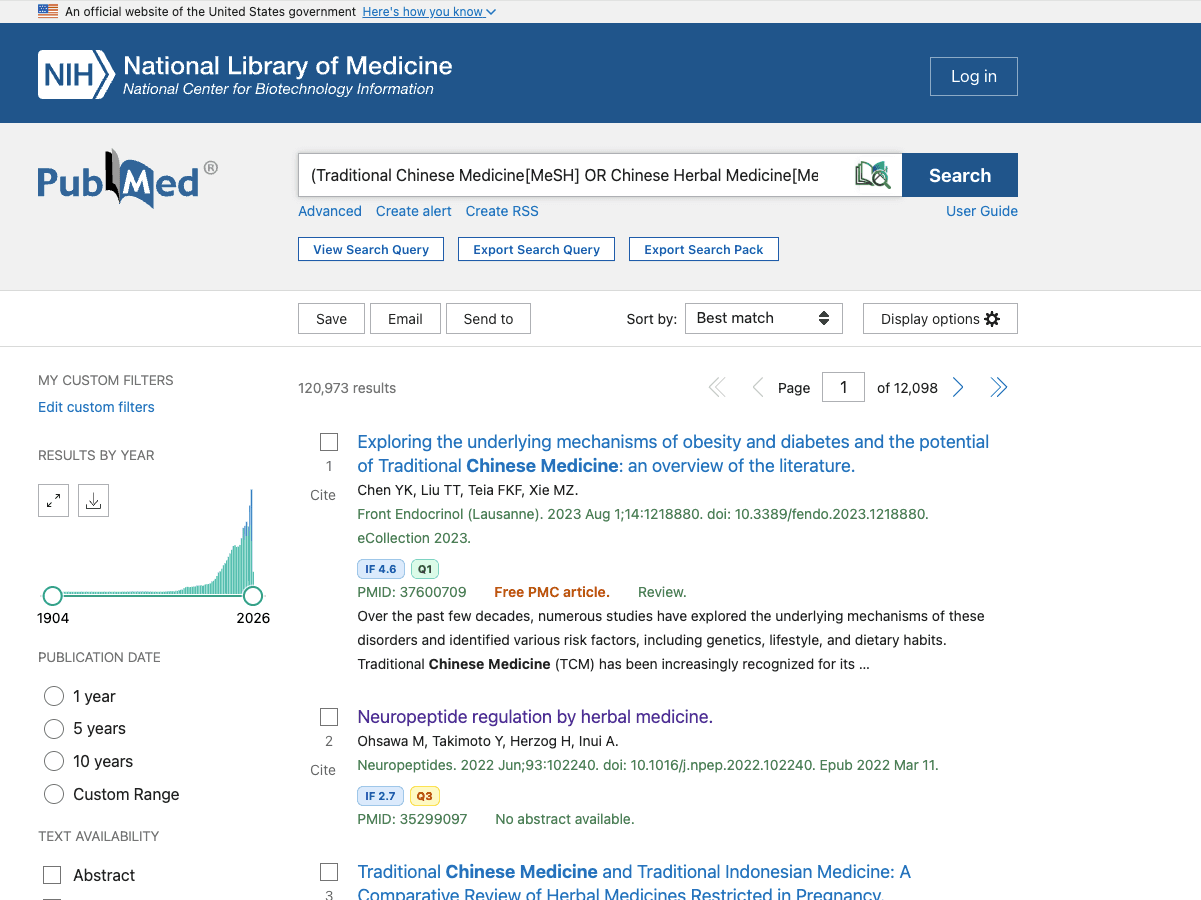
This uses the research question built into the extension. The query below shows the shape it is designed to return: MeSH headings, synonym keywords, and Boolean AND/OR. A live generation can differ.
Research question
How effective are GLP-1 receptor agonists in adults with obesity and type 2 diabetes?
Example PubMed query
("Glucagon-Like Peptide-1 Receptor Agonists"[MeSH] OR "GLP-1 receptor agonist*"[Title/Abstract]) AND ("Obesity"[MeSH] OR obesity[Title/Abstract]) AND ("Diabetes Mellitus, Type 2"[MeSH] OR "type 2 diabetes"[Title/Abstract])Illustrative query following the extension's rules: MeSH tags, synonym groups joined with OR, and concepts joined with AND. It is not a guaranteed live output.
FAQ
Why not install directly from an extension store?
You can. Add to Chrome opens the Chrome Web Store, and the same listing installs in Microsoft Edge. The ZIP steps are only for people who cannot open the store.
Can I install the ZIP file directly?
No. Browser developer mode needs the folder after you unzip the package.
How do updates work?
Extensions installed from the Chrome Web Store update in the browser. If you loaded the ZIP, download the latest package, unzip it, and reload the extension from the browser extensions page.
How do I build a PubMed search query?
Open PubMed and enter a research question in the LitSource extension. It returns a query with MeSH terms and Boolean AND/OR logic. You can preview it, copy it, or use Generate + Search so PubMed runs it.
How do I find MeSH terms?
After a query is generated, the extension lists the MeSH terms it detected. Confirm headings, scope notes, and entry terms in the NLM MeSH database at https://www.ncbi.nlm.nih.gov/mesh. The extension does not replace that database.
Is the PubMed Chrome extension free?
The extension is free to install, and exporting the current PubMed results page is free. Generating a query uses 1 LitSource credit and requires a LitSource account. Exporting 100, 1000, or 2000 records is a Pro feature.
Can't access the Chrome Web Store?
Chrome and Edge can both install from the Chrome Web Store. Download the ZIP and load the unpacked folder only when that store will not open.
ZIP package · about 299 KB · Manifest V3
Chrome
- 1Download the ZIP package and unzip it locally.
- 2Open Chrome and visit chrome://extensions.
- 3Turn on Developer mode.
- 4Click Load unpacked and select the unzipped folder.
- 5Confirm the LitSource icon appears in the browser toolbar.
Microsoft Edge
- 1Download the ZIP package and unzip it locally.
- 2Open Edge and visit edge://extensions.
- 3Turn on Developer mode.
- 4Click Load unpacked and select the unzipped folder.
- 5Open PubMed and start from the extension icon.
Permission notes
- The extension runs only on PubMed and LitSource-related pages.
- It stores the login token and query history locally to keep the extension session usable.
- The downloads permission is used for CSV/TXT search-result exports.
Free Download: Literature Review Skill
A systematic literature-review workflow you can hand to Claude / ChatGPT / Codex. This is separate from the browser extension.
Literature Review Skill (Standard)
7-stage evidence-first framework: question → calibrated search → evidence map → evidence cards → argument map → section writing → citation QA (built-in LitSource verification).
Download · Markdownlit-review-skill.md
Literature Review Skill · Q3 2026
Latest quarterly refresh: 7-stage framework + evidence grading (RoB/GRADE) + 5-field citation verification (LitSource) + preprint/retraction safeguards.
Download · Markdownlit-review-skill-q3-2026.md